Early access · Private preview
Getting started
Using with coding agents
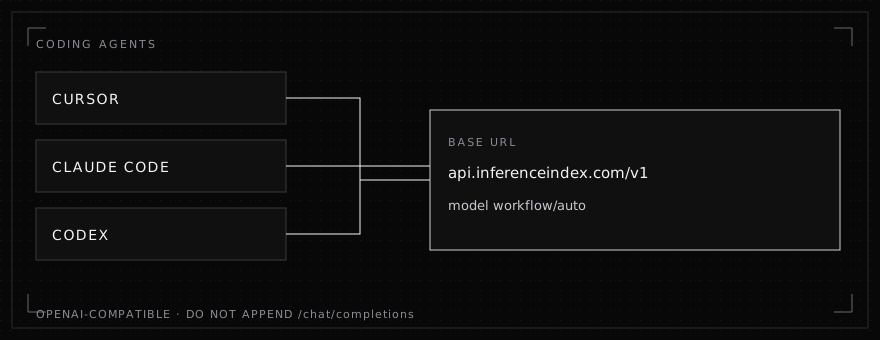
Point Cursor, Claude Code, and Codex at the OpenAI-compatible base URL.
The API is in early access, a private preview. Use the key from the dashboard, one base URL, and one model name.
| Setting | Value |
|---|---|
| Base URL | https://api.inferenceindex.com/v1 |
| Model | workflow/auto |
| API key | The key from the dashboard at https://inferenceindex-app.web.app |
Leave /chat/completions off the base URL. The client adds that path.
Cursor
- Open Cursor Settings, then Models.
- Paste the dashboard key into the OpenAI API key field.
- Turn on Override OpenAI Base URL and set
https://api.inferenceindex.com/v1. - Add the model name
workflow/autoand select it.
Cursor sends OpenAI-compatible chat completions to that base URL for local Chat and Agent requests that use this model.
Claude Code
Claude Code's own base URL, ANTHROPIC_BASE_URL, speaks the Anthropic Messages API. Leave that unset for this host. https://api.inferenceindex.com/v1 is the OpenAI-compatible base URL.
For OpenAI-compatible clients in the project Claude Code is editing, set:
export OPENAI_BASE_URL="https://api.inferenceindex.com/v1"
export OPENAI_API_KEY="YOUR_KEY"
Use the model workflow/auto in the client, as in the quickstart. You can paste this into the session:
Call the Compiled Agent Model at base URL https://api.inferenceindex.com/v1
with model workflow/auto. The API is OpenAI-compatible chat completions.
Read the key from the environment. Do not print the key.
Codex
Codex reads the user file ~/.codex/config.toml. A project-local config file cannot change the provider. Put the base URL in the user file:
model = "workflow/auto"
model_provider = "inferenceindex"

[model_providers.inferenceindex]
name = "InferenceIndex"
base_url = "https://api.inferenceindex.com/v1"
env_key = "OPENAI_API_KEY"
wire_api = "responses"
Put the dashboard key in OPENAI_API_KEY. Current Codex sends OpenAI Responses requests to that base URL plus /responses. The early-access call documented in the quickstart is chat completions: POST /v1/chat/completions with model workflow/auto. Use the quickstart from code when you want that call directly.