Early access · Private preview
Start here
Quickstart
Get a key, set the base URL and model, and make your first call in about five minutes.
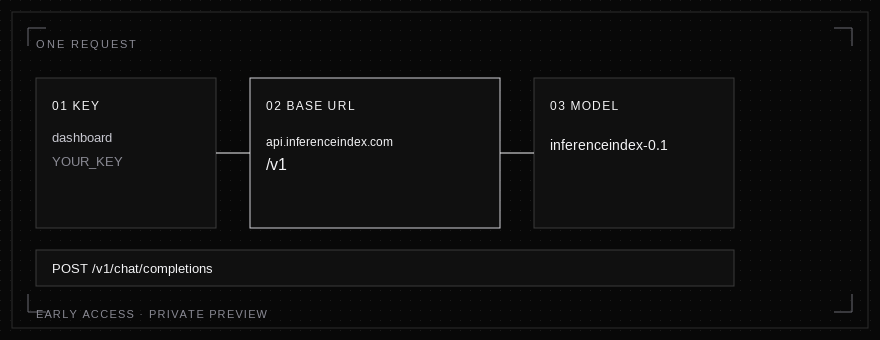
A Compiled Agent Model takes the same OpenAI-compatible chat completions request you already send. You set three values: the API key, the base URL, and the model name.
Get a key
- Open https://inferenceindex-app.web.app.
- Sign in with the same Google account as the InferenceIndex site, and enter your invite code.
- Get an API key in the dashboard.
Each invite code works once.
The base URL is https://api.inferenceindex.com/v1. The model is workflow/auto.
Python
python
from openai import OpenAI

client = OpenAI(
    api_key="YOUR_KEY",
    base_url="https://api.inferenceindex.com/v1",
)

response = client.chat.completions.create(
    model="workflow/auto",
    messages=[
        {"role": "user", "content": "Triage this support ticket and name the queue."},
    ],
)
print(response.choices[0].message.content)
TypeScript
typescript
import OpenAI from "openai";

const client = new OpenAI({
  apiKey: "YOUR_KEY",
  baseURL: "https://api.inferenceindex.com/v1",
});

const response = await client.chat.completions.create({
  model: "workflow/auto",
  messages: [
    { role: "user", content: "Extract the invoice total, vendor, and date." },
  ],
});
console.log(response.choices[0].message.content);
curl
bash
curl https://api.inferenceindex.com/v1/chat/completions \
  -H "Authorization: Bearer YOUR_KEY" \
  -H "Content-Type: application/json" \
  -d '{
    "model": "workflow/auto",
    "messages": [
      {"role": "user", "content": "Reply to this lead with a short first touch."}
    ]
  }'
What stays the same
Python clients set the base URL on base_url. TypeScript clients set the base URL on baseURL. curl posts to the chat completions path on that base URL. Every sample above uses the model workflow/auto.
Next
Point one real job at it. The cookbook has recipes for contract review, inbox actions, support triage, invoice reconciliation, and meeting notes.