Early access · Private preview
Cookbook
Meeting notes to CRM
Turn a new call transcript into the summary, next steps, and CRM fields you update after every call.
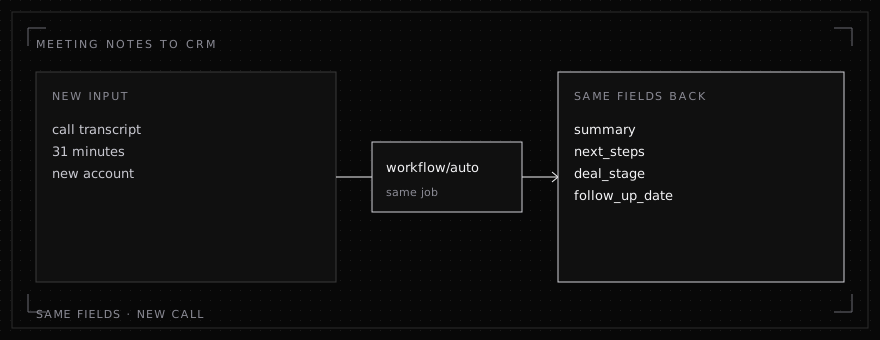
A sales or customer success agent reads each call transcript and updates the same CRM fields: a short summary, next steps, deal stage, and a follow-up date. The call is new every time, but the fields aren't.
The job
- New each run: the account, the people on the call, and what was agreed.
- Same each run: your deal stages, your summary format, and the CRM fields you write.
The call
python
import json
from openai import OpenAI

client = OpenAI(api_key="YOUR_KEY", base_url="https://api.inferenceindex.com/v1")

FIELDS = """Deal stages: discovery, evaluation, proposal, negotiation, closed.
Return JSON with keys: summary (3 sentences max), next_steps (list),
deal_stage, follow_up_date (YYYY-MM-DD or null)."""

def notes(transcript: str, today: str) -> dict:
    response = client.chat.completions.create(
        model="workflow/auto",
        messages=[
            {"role": "system", "content": "You write CRM updates after sales calls. " + FIELDS},
            {"role": "user", "content": f"Today is {today}.\n\nTranscript:\n{transcript}"},
        ],
    )
    return json.loads(response.choices[0].message.content)
What comes back
An example reply after an evaluation call:
json
{
  "summary": "Northwind wants to pilot on their EU support queue. Security review is the main blocker.",
  "next_steps": ["Send security questionnaire", "Book pilot kickoff"],
  "deal_stage": "evaluation",
  "follow_up_date": "2026-10-23"
}
In production
- Write the fields to your CRM from your own code, the same way you do today.
- Pass today's date in, as shown above, so the model can work out relative dates like "next Friday".
- A call that doesn't fit your usual format goes to your fallback model.