Private beta · Early access
Platform
Images
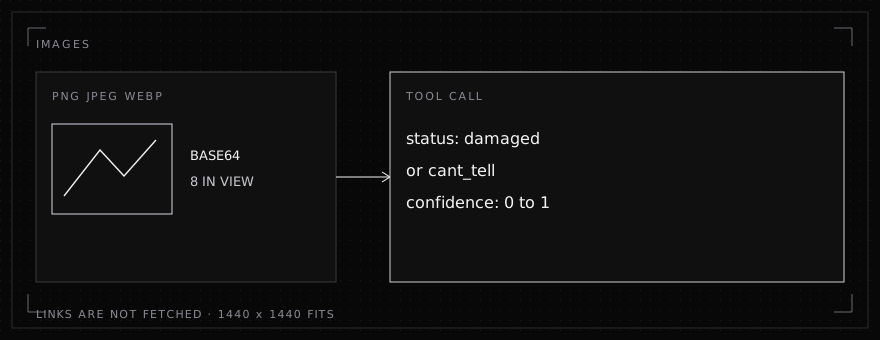
Send a PNG, JPEG, or WebP with the request or a tool result. A judgment comes back on a tool call.
Private beta. InferenceIndex is changing fast. Models, endpoints, pricing and these docs may change without notice, so check back before you build on a detail.
An image is part of the message you already send. Put it on a user message, or on a tool result. The judgment goes in a tool field whose values you fix, such as damaged or intact. Wording, such as a note about what you found, still goes to your fallback model.
Where an image goes
A user message can mix text and images. A tool result can be an image part, or image parts beside the text result. These three shapes are read:
image_url.{ "type": "image_url", "image_url": { "url": "data:image/png;base64,..." } }. Theimage_urlmay be the data URL string itself.input_image.{ "type": "input_image", "image_url": "data:image/jpeg;base64,..." }.- An MCP image block.
{ "type": "image", "data": "<base64>", "mimeType": "image/webp" }.datamay already be a data URL.
{
  "role": "user",
  "content": [
    { "type": "text", "text": "Is this box damaged?" },
    { "type": "image_url", "image_url": { "url": "data:image/jpeg;base64,..." } }
  ]
}{
"role": "tool",
"tool_call_id": "call_…",
"content": [
{ "type": "image", "data": "<base64>", "mimeType": "image/png" }
]
}Send the tool result back with the tool call id unchanged. A user message can be an image with no text.
What is accepted
The image has to be a base64 data URL, or base64 in an MCP image block. PNG, JPEG, and WebP are accepted. A link is not fetched. Any other type is not taken.
At most 8 images are in view. Images on the request come first, then the newest images from tool results. An older image drops out of view once a newer one takes its place.
Each image can be at most 2,048 tiles of 32 by 32 pixels. An image of 1440 by 1440 fits. A larger one is not shown. The request body can be up to 20,000,000 bytes, which is the room for those data URLs.
The judgment
Make the judgment a tool field with fixed values, an enum. Give it a value for an image that could not be shown, such as cant_tell, and say in the step to choose it when the image was a link, the wrong type, too large, or no longer in view. Without a value like that, a judgment is still chosen from the values you did list.
To record how sure that choice was, add an optional confidence hint in the skill's ## Hints block. field is tool.field or a bare field name. of is the field on the same tool whose choice it measures. The field is filled for you: 0 to 1 on a number field, and 0 to 100 on an integer field. You do not ask for it in a step.
A damaged package
# Package damage

Use when each package photo in a folder should be marked damaged or intact.

1. List the photos in the folder.
2. Open one photo.
3. Record it: status damaged if the box is crushed, torn, punctured, or wet, intact if it is not, and cant_tell if the photo could not be shown.
4. Repeat steps 2 and 3 for every photo, then finish.

## Hints

```json
{
  "confidence": [
    { "field": "record_inspection.confidence", "of": "status" }
  ]
}
```
record_inspection.status is an enum: damaged, intact, cant_tell. confidence is a number from 0 to 1. Open one photo, then record that photo, then the next. A call made while one photo is in view is not copied onto the photos nobody has opened.
One photo can come back as:
{
  "id": "call_…",
  "type": "function",
  "function": {
    "name": "record_inspection",
    "arguments": "{\"photo_id\":\"p1\",\"status\":\"damaged\",\"confidence\":0.83}"
  }
}
0.83 here is the probability of damaged on that call. Send the result back with the id unchanged.